Member Management - Staff
You can add your staff members to the dashboard, so they can also log patrols, add or edit members, etc…
Permissions
Section titled “Permissions”You dispose of 3 ‘permission levels’ for your staff members:
| Permissions | Access | Admin | Co-owner |
|---|---|---|---|
| Dashboard access | ✅ | ✅ | ✅ |
| — | — | — | — |
| View members | ✅ | ✅ | ✅ |
| Edit members | ❌ | ✅ | ✅ |
| Delete members | ❌ | ✅ | ✅ |
| — | — | — | — |
| View patrols | ✅ | ✅ | ✅ |
| Add patrols | ✅ | ✅ | ✅ |
| Approve patrols | ❌ | ✅ | ✅ |
| — | — | — | — |
| Manage regiment | ❌ | ❌ | ✅ |
Inviting Staff Members
Section titled “Inviting Staff Members”-
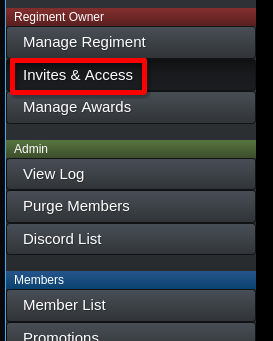
Go to the “Invites & Access” category on the sidebar.
-
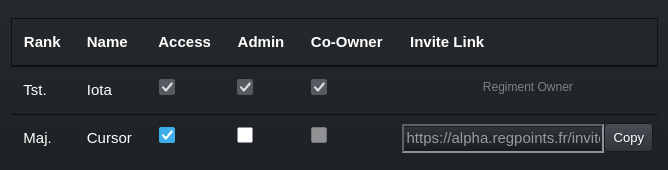
This will appear:
-
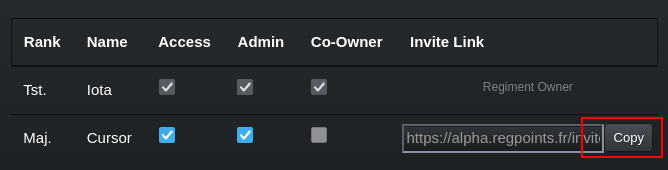
Once you have setup the permissions for each staff member, you can invite them by sending them the invite link attributed.