
Economy
This page explains how our economy system works, how to give and take money, and how to use it.
Enable Economy
Section titled “Enable Economy”Economy is disabled by default, to enable it:
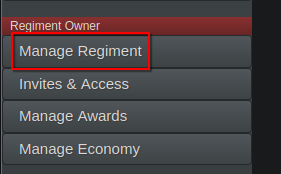
- Go to the ‘Regiment Owner’ category on the sidebar, then click the ‘Manage Regiment’ tab:
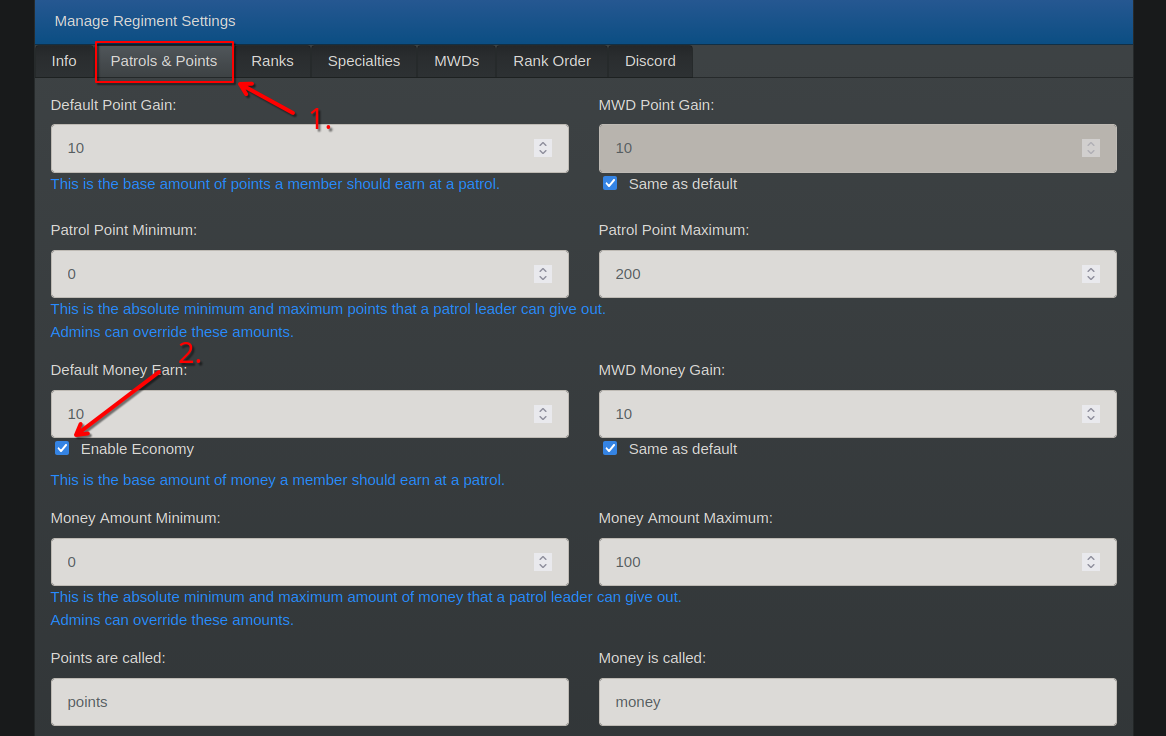
- On the ‘Patrols and points’ section, click the ‘Enable Economy’ button:
Already using Economy with another bot?
Section titled “Already using Economy with another bot?”If you were already using economy with another bot, you can import your users’ balance to RegPoints.
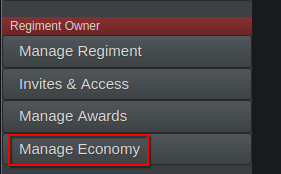
- Go to the ‘Regiment Owner’ category on the sidebar, then click the ‘Manage Economy’ tab:
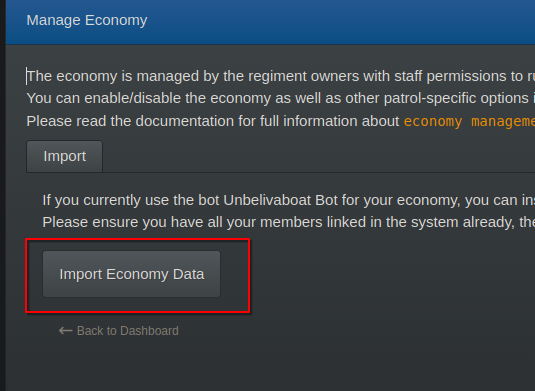
- On the ‘Patrols and points’ section, click the ‘Import Economy’ button:
- Done! Magic! :D
Commands
Section titled “Commands”| Command | Purpose | Permissions Required |
|---|---|---|
/economy enable |
Enable the economy system. | Owner |
/economy disable |
Disable the economy system. | Owner |
/add-money @user amount |
Give money to a user. | Admin |
/remove-money @user amount |
Take money from a user. | Admin |
/economy symbol emoji/symbol |
Set the economy symbol. | Admin |
/give-money @user amount |
Give money to a user, and take the same amount from you. | User |
/balance |
Check your balance. | User |