Member Management - Aliases
Aliases (or “claims”) is the system we uses to let people having multiple claims in a regiment in RegPoints. This also allows staff to not have to search for the original username of someone.
The management of aliases can be done here:
Member > Member List > Click a member > Member Aliases
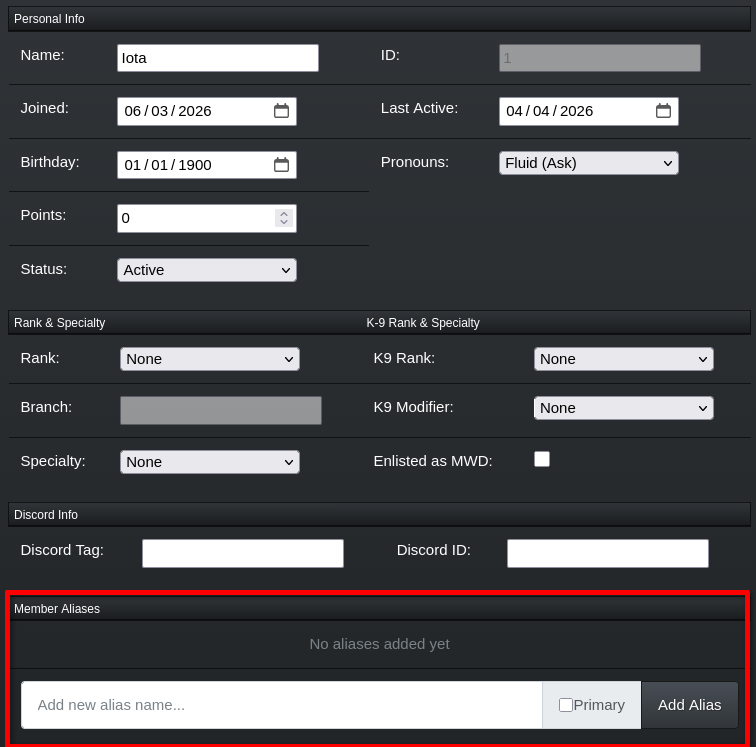
The member management page of Iota.
Management of Aliases
Section titled “Management of Aliases”Add an alias
Section titled “Add an alias”To add a new alias to a member, enter their new alias into the ‘Add new alias name…’ text field and click the ‘Add Alias’ button.
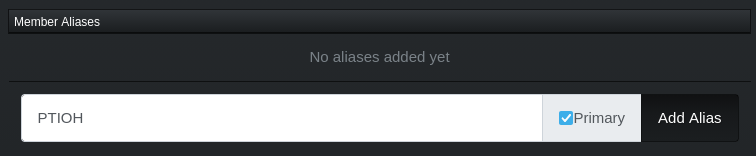
Adding
PTIOHas the primary alias of Iota.
Add/Set an alias as primary
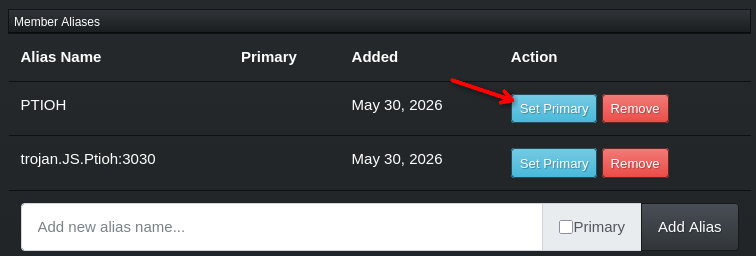
Section titled “Add/Set an alias as primary”To set an alias as primary, click the ‘Set as Primary’ button next to the alias you want to set as primary.
Remove an alias
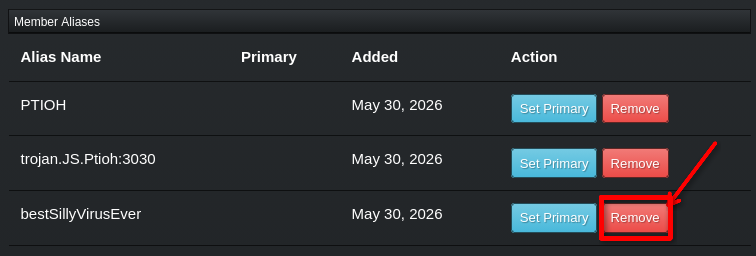
Section titled “Remove an alias”To remove an alias from a member, click the ‘Remove’ button next to the alias you want to remove.